All articles
I signed in but I don't see my data
If you signed in and don't see your data, this can be resolved in the following ways:
- If you are on Android, please give it a few moments for all the data to sync.
- Verify that you are signed in with the correct email address. The account is tied to the email address and if you have multiple email addresses, you might be signed into the wrong one.
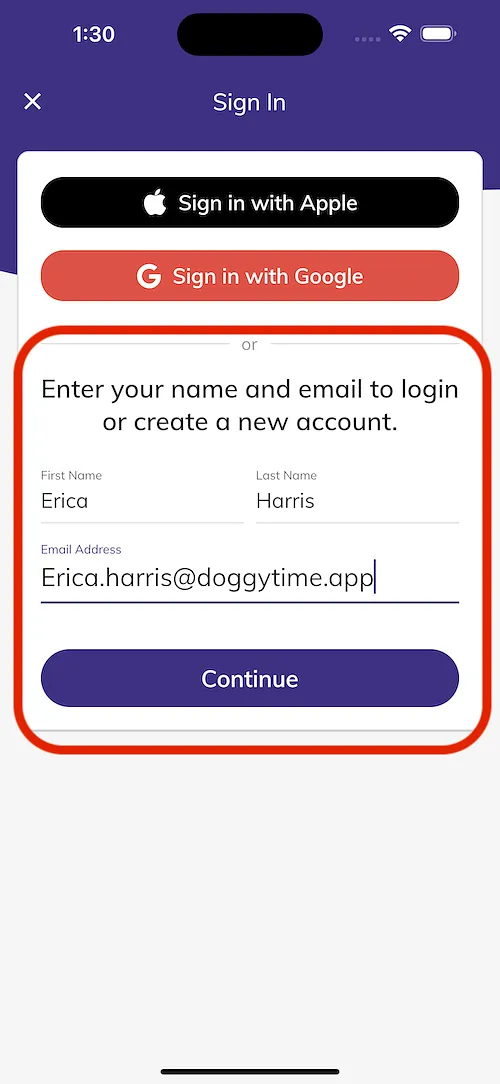
- If you are on iOS, you might have selected the "Sign In With Apple" option which gives you the option to use an anonymized email. You might have previously used the "Sign In With Email" option. Using the sign in with Apple might have hidden your original email address and creates a completely new account. Please sign out and select the sign in with name and email option highlighted below. Please refer to this article for more information: Accessing Your Original Account: Correcting Your Sign-In Method
Thanks for your patience!